X1 Search
Instantly find exactly what you’re looking for across all your data sources… with a single search.
Now with the X1 Search Connector for Claude—enabling organizations to securely search corporate data before AI processing—at a fraction of AI token costs. Learn more
Why X1 Search?
Do you spend valuable time searching across Outlook, OneDrive, SharePoint, Teams, Slack, Google Drive, Gmail, and more—only to struggle to find what you need? X1 Search lets you instantly search across emails, attachments, documents, local files, and Microsoft 365 data—including Teams and Slack conversations—from a single interface, helping you quickly find the information you need and save hours every day.

Click to watch the video

Click to watch the video
Stop Searching and Start Finding!
This easy-to-use search application supercharges productivity for both business and personal use. Now enabled with enhanced AI capabilities, X1 Search intelligently classifies, categorizes, and organizes data securely within your environment based on your specific workflows and policies. It delivers a single unified search across email, attachments, files, chats, and cloud data sources—returning immediate results with hit highlighting and full-fidelity preview to help structure and surface the information you need faster.
Powered by patented fast-as-you-type search
X1 Search enables you to seamlessly search across all of your data sources including:
- Microsoft 365 data sources (Teams, SharePoint, OneDrive, Exchange, Outlook) and Slack – Watch the video
- Google Drive, OneDrive, Box, Dropbox, and PST Files
- Gmail, Outlook Mail, Yahoo
- Local and archived email
- Cloud data sources, file shares, and more…
X1 Search unlocks the ability to find information no matter where it resides whether it’s lost in your spam folder, archived in your email 10 years ago, buried in a Teams chat, hidden in a Slack message, or recently added to your OneDrive or SharePoint. X1 Search does the work for you, faster and far better than any other desktop or enterprise search offering.
Key Benefits
Unified Search Across All Your Data Sources
Instantly search across Microsoft 365 (Teams, SharePoint, OneDrive, Exchange, Outlook), Gmail, Google Drive, Slack, local files, cloud repositories, and more and find emails, attachments, documents, chats… all in a single search.
AI-Powered Classification and Organization
Automatically organize and tag emails, documents, chats, and attachments based on content and context using customer-enabled AI models applied securely within your environment. All AI capabilities remain fully under your control.
Search Conversations and Cloud Content in One Place
Easily search Microsoft Teams chats and channels—including attachments, emojis, and reactions—as well as Slack conversations and cloud repositories like Google Drive, OneDrive, and Box alongside email and documents—all in one place.
Amplify Your Email Search
Search Gmail up to 3× faster with the API-based connector and access Outlook email, attachments, calendars, and contacts through deep Microsoft 365 Outlook integration.
Easy-To-Navigate User Interface
Use fast-as-you-type search, refine results with 50+ metadata filters, preview files in native format, and take action directly from within a single unified interface.
Accelerate Your Email Workflow With M365 Archived Mail Search
Quickly index and search years of archived Microsoft 365 Outlook email—making historical data accessible when you need it.

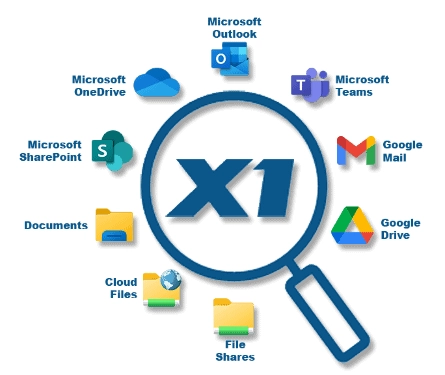
X1 Search + Claude
Enterprise Search Before AI Processing
The X1 Search Connector for Claude extends X1’s AI In-Place architecture, enabling secure, natural-language search across your corporate data sources before AI processing begins. By sending only the most relevant information to Claude, organizations dramatically reduce AI token costs while improving security, performance, and the quality of AI-generated responses.
- Enterprise search before AI processing — X1 Search finds the right information before Claude generates a response.
- Dramatically reduce AI token costs — Send only the most relevant information to Claude instead of unnecessary data.
- Secure, permission-aware enterprise search — Search corporate data while respecting existing access controls and governance.
- Fast, precise search across enterprise data — Search email, files, chats, Microsoft 365, Google Workspace, and more from one place.
For more information on requirements, setup, and using the X1 Search MCP Connector for Claude, visit the X1 Search MCP Connector page.
To learn more about integrating the X1 Search Connector for Claude across your organization and reducing AI token costs, contact us.
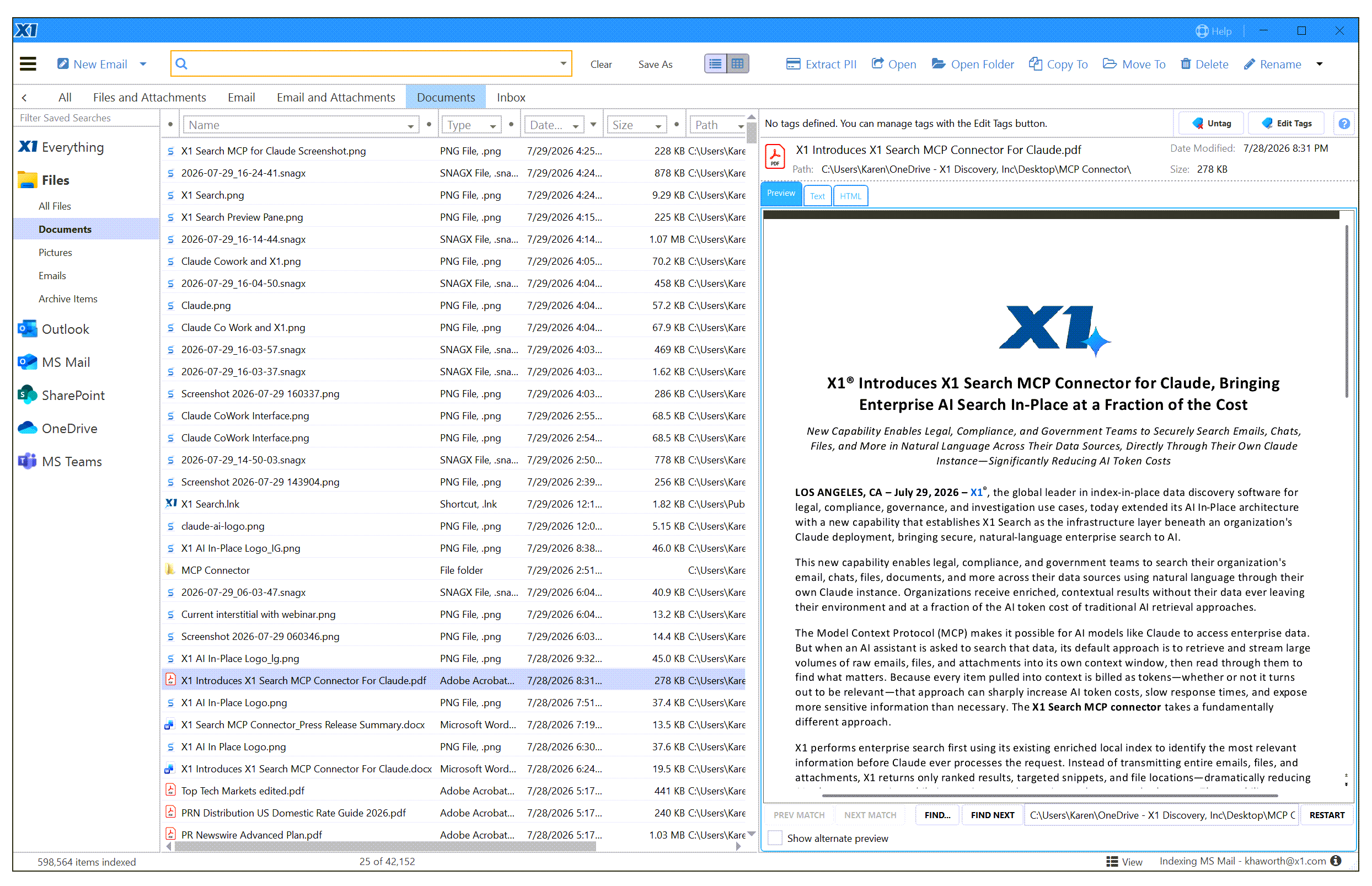

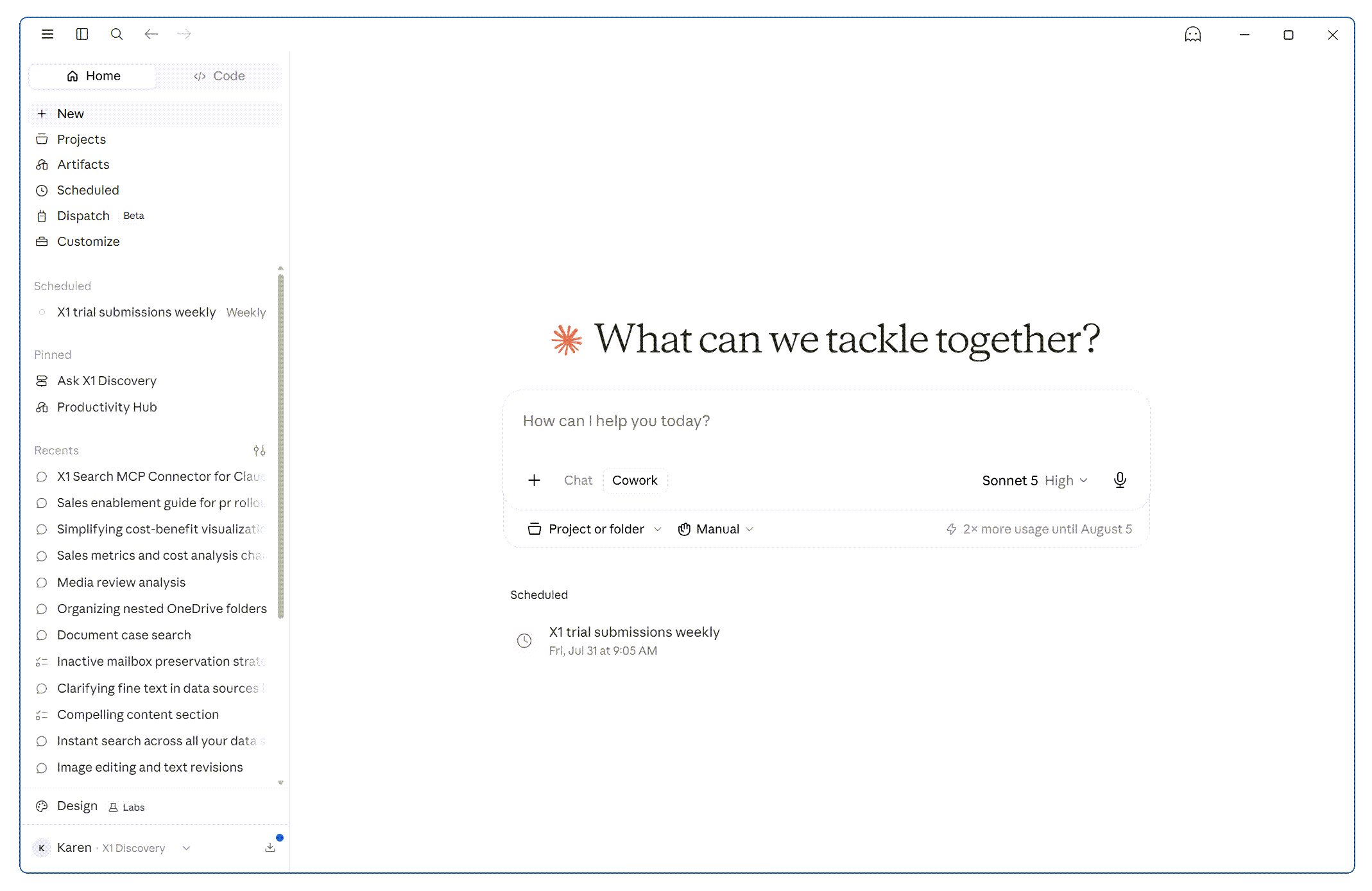
X1 Search indexes your data in-place. Claude connects to it securely through MCP.
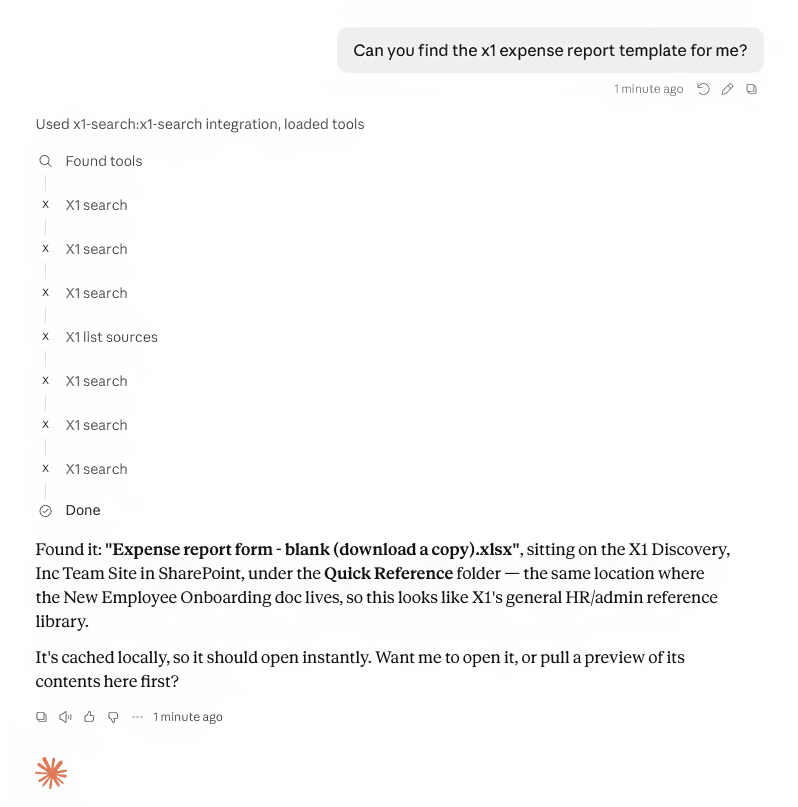
Ask Claude a question — it searches your X1-indexed data and finds the answer directly.
Resources

The AI Evolution of X1 Search - Product Tour
Watch a brief product tour of X1 Search v11 to see the first phase of new AI In-Place capabilities designed to improve search relevance, identify sensitive information, and organize content across your existing data sources
> Access the Enhancements FAQ Guide

X1 Search Product Brief
X1 Search is an easy-to-use desktop application that delivers unified search across email, files, chats, cloud sources, and more.
With fast-as-you-type search and intelligent organization and classification capabilities applied securely within your environment, X1 Search helps you quickly find the information you need across all your data sources in one place.

Why Enterprise Search Fails in Most Cases... And How to Fix It
Enterprise search means different things to different people. In this document, learn about the three distinct forms of enterprise search and how the various use-cases require the search engine, methods of analysis and workflow be specifically designed for the particular use case.
System Requirements & FAQ
System Requirements

Minimum hardware requirements
Operating System: Windows 10, Windows 11*
Processor: 2 GHz minimum or faster
Memory: 8 GB RAM for 64-bit**
Storage: 20 GB available disk space**
Software: Microsoft .NET Framework 4.8
* MAC operating systems and Windows Snapdragon (ARM processors) are not currently supported
*Actual memory and disk space vary based on the volume of indexed content
Processor: Multi-core CPU recommended
Memory: 16 GB RAM recommended
GPU: Discrete (Nvidia or AMD) GPU recommended for optimal performance
Storage: Additional disk space required for AI processing and caching
– Access the X1 Search AI Enhancements FAQ here
For more information on requirements, setup, and using the X1 Search MCP Connector for Claude, visit the X1 Search MCP Connector page.
Note: AI features can run on CPU-only systems, but performance may be significantly reduced without a discrete GPU.
Email applications
Microsoft Outlook 2019, 2021, 2024, Microsoft Outlook 365, Gmail*, Yahoo! Mail, AOL Mail, and other IMAP based email accounts. Note: X1 Search supports Microsoft Outlook installations in 64-bit mode.
Supported Remote Data Sources
Box, Dropbox, OneDrive, SharePoint, Microsoft Teams, Google Drive, Microsoft Online Archive, Slack, Microsoft Contacts and Calendar
SharePoint installations
SharePoint 2007, SharePoint 2010, SharePoint 2013, SharePoint 365
* X1 Search’s use of information received from Google APIs will adhere to Google API Services User Data Policy, including the Limited Use requirements
FAQ

- Outlook 2007
- Outlook 2010
- Outlook 2013
- Outlook 2016
- Outlook 365
- SharePoint 2007
- SharePoint 2010
- SharePoint 2013
- SharePoint 2016
- SharePoint 365
- Teams
- OneDrive
- OneDrive for Business (O365)
- OneDrive for Business (SharePoint)
- MS Online Archive
- Box
- Gmail
- IMAP based email accounts such as Yahoo!, AOL, and more
- OS: Microsoft Windows 10, Windows 11
- CPU: 1 GHz minimum, 64-bit
- Memory: 2GB RAM for 64-bit*
- Disk: 1 GB free hard disk space recommended*
- Software: Microsoft .NET Framework 4.6.2 Extended version or higher
*Actual memory and disk space varies depending on the amount of content indexed.
Yes, X1 Search Virtual provides X1’s robust search, architected for virtual desktop environments. X1 Search Virtual is available for volume purchase only, so please contact sales directly for more information.
While our product team is well aware of the desire and an X1 Pro Mac version is certainly part of our product development plans, no release is imminent at this time.
Our complete knowledge base can be found here.